

Did you know that a 7% decrease in conversions might result from a 1-second delay in page load time? For eCommerce store owners, website speed goes beyond user experience—directly connected to revenue. Pages that load slowly can irritate visitors, lead to higher bounce rates, and negatively impact your search engine rankings. Research shows that nearly 40% of visitors will leave a website if it takes longer than 3 seconds to load.
The positive aspect is that you can take charge of your website’s performance and provide customers with a faster, smoother shopping experience. This guide will offer you 10 ways to speed up your eCommerce site, allowing you to increase sales, enhance SEO, and ensure customer satisfaction.
Why Website Speed Matters for eCommerce
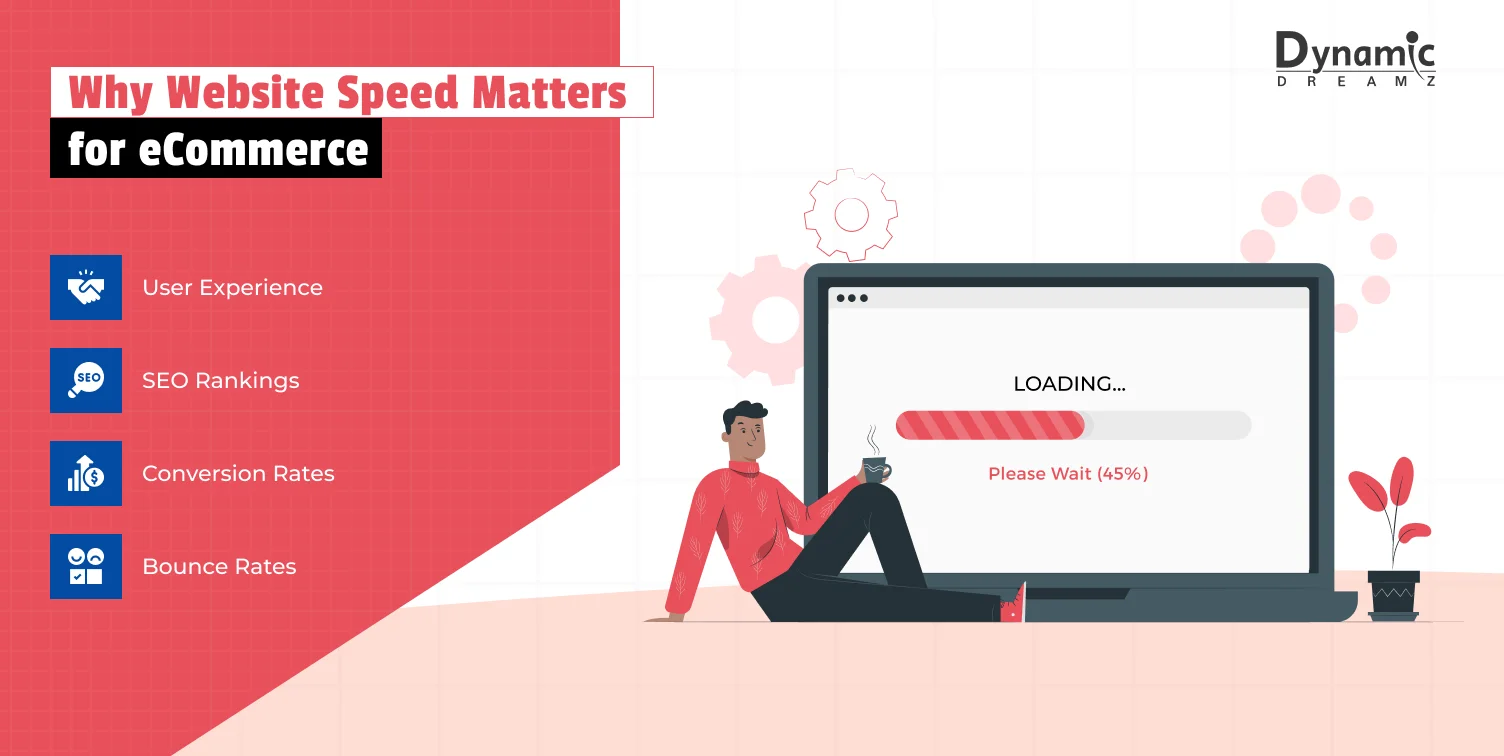
Before we get into the tips, let’s shortly study why website speed is essential for eCommerce success:
- User Experience: A website that loads quickly keeps visitors interested and minimizes frustration.
- SEO Rankings: Google prefers quick-loading websites in its search results, particularly for those using mobile devices.
- Conversion Rates: Faster websites lead to improved conversion rates. Research shows that improving website speed by 0.1 seconds can boost conversion rates by 8%.
- Bounce Rate: Slow websites push users away. If your website has a slow loading time, visitors may leave it before they even get a chance to explore your products.
Having a better understanding of website speed, let’s explore how to test and improve it.
Also Read: 5 Game-Changing Shopify SEO Apps to Drive More Sales
How to Test Your eCommerce Website Speed
It’s essential to check your current website speed before implementing any modifications. Here are a few websites that might help you to measure your website speeds:
- Google PageSpeed Insights: Provides a detailed analysis of your website’s performance on both desktop and mobile.
- GTmetrix: Offers insights into page load times, along with actionable recommendations.
- Pingdom: Helps you monitor your website’s performance over time and identify bottlenecks.
Once you’ve tested your website, note the areas that need improvement (e.g., large image files and slow server response times). Now, let’s move on to the actionable tips.
10 Ways to Speed Up Your eCommerce Website
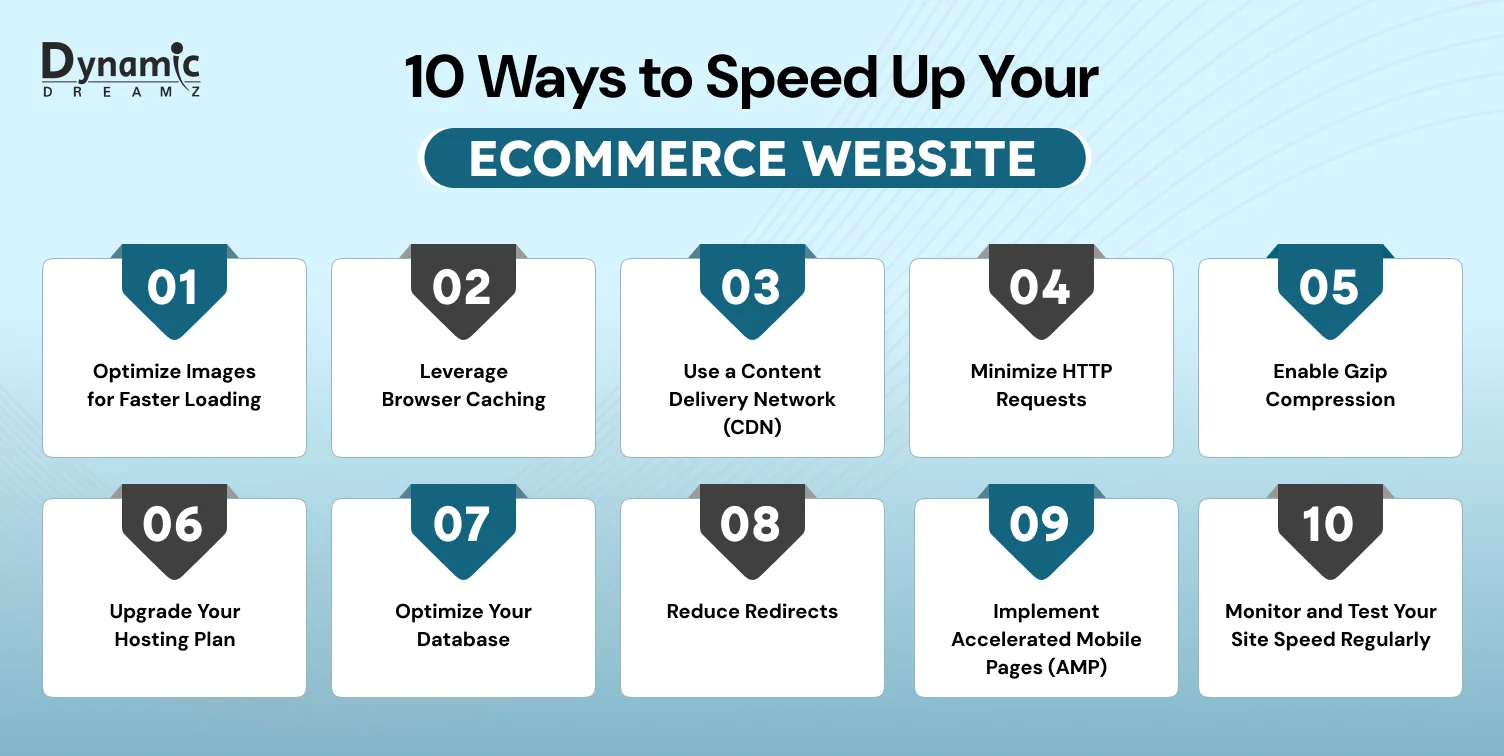
1. Optimize Images for Faster Loading
High-quality images are crucial for displaying your products effectively. Still, they can slow your website’s performance if they aren’t optimized correctly. Large image files can slow page load times and increase bounce rates.
Here’s how to fix it:
- Compress images: Utilize tools like TinyPNG or ShortPixel to minimize file sizes while maintaining quality.
- Use next-gen formats: Convert images into WebP format. It provides enhanced compression and quality compared to JPEG or PNG.
- Enable lazy loading: This ensures that images load only when they come into view for the user, which helps to decrease the initial loading time of the page.
Optimizing your images can significantly enhance your website’s speed without sacrificing the visual appeal of your store.
2. Leverage Browser Caching
Browser caching enables your website to save static files, such as images, CSS, and JavaScript, on a visitor’s device. When users revisit your website, their browser can access these files from their local storage instead of downloading them again, leading to quicker load times.
How to implement it:
- If you’re using a platform such as WordPress, consider utilizing caching plugins like W3 Total Cache or WP Rocket.
- Set up caching headers on your server for platforms such as Shopify or Magento.
Browser caching is an effective and straightforward method to enhance speed for users who return to your website.
3. Use a Content Delivery Network (CDN)
A CDN is a global network of servers spread across several regions. When someone visits your website, the CDN delivers content from the nearest server, which helps to lower latency and enhance loading speed.
Why it’s essential:
- Quicker loading speeds for customers around the world.
- You need to reduce the server load when your website faces high traffic.
Popular CDNs:
- Cloudflare
- Akamai
- Amazon CloudFront
A CDN is essential if you’re serious about speed for your eCommerce website.
Also Read: Shopify Website Development Cost Breakdown: A Complete Guide
4. Minimize HTTP Requests
Each component on your webpage, including images, scripts, and stylesheets, requires an HTTP request. As the number of requests your website generates increases, its loading speed decreases.
How to reduce HTTP requests:
- Merge CSS and JavaScript files into single files.
- Utilize CSS graphics for icons and smaller images.
- Reduce the quantity of plugins or extensions on your website.
Reducing HTTP requests can enhance your website’s performance and improve loading speed.
5. Enable Gzip Compression
Gzip compression minimizes the size of your website’s files before providing them to the user’s browser. It can reduce file sizes by as much as 70%, significantly enhancing loading speed.
How to enable Gzip:
- If you’re using WordPress, you can enable Gzip using plugins like WP Rocket with just one click.
- For other platforms, you may be required to modify your server configuration (e.g., via .htaccess on Apache servers).
Gzip is an effective solution for improving the speed of your eCommerce website.
6. Upgrade Your Hosting Plan
The performance of your website heavily depends on your hosting provider. While shared hosting plans are budget-friendly, they frequently result in slower loading speeds because of restricted resources and overcrowded servers.
Consider upgrading to:
- VPS hosting: Offers dedicated resources for better performance. Provides resources specifically designed to improve performance.
- Dedicated hosting: Ideal for large eCommerce websites with high traffic.
- Managed hosting: Platforms like Shopify Plus or BigCommerce provide optimized hosting for eCommerce websites.
A better hosting plan can improve your website’s speed and reliability.
7. Optimize Your Database
The database of your eCommerce website may ultimately fill up with irrelevant information (such as outdated orders, spam comments, or temporary alternatives). It can slow down your website’s performance.
How to optimize your database:
- Use plugins for WooCommerce sites such as WP-Optimize.
- Schedule regular cleanups to remove unused data.
- Optimize database tables to improve query performance.
A clean and efficient database ensures your website runs smoothly.
8. Reduce Redirects
Although they help redirect users to the relevant pages, too many redirects can increase loading speed and generate extra HTTP requests.
How to minimize redirects:
- Use tools like Screaming Frog to check your website for unnecessary redirects.
- Fix broken links that may trigger redirects.
- Use direct links whenever possible.
You can simplify your website’s navigation and improve speed by reducing redirects.
9. Implement Accelerated Mobile Pages (AMP)
Since more than half of all website traffic comes from mobile devices, your eCommerce website must be optimized for mobile visitors. A framework called Accelerated Mobile Pages (AMP) makes your web pages lighter and load faster.
Benefits of AMP:
- It gives you a faster loading speed on mobile devices.
- AMP improved user experience and lower bounce rates of the website.
- Provide potential SEO benefits, as Google prioritizes mobile-friendly websites first.
You can increase conversions and attract more mobile traffic by implementing AMP.
10. Monitor and Test Your Site Speed Regularly
Optimizing a website’s speed is a constant rather than a one-time process. You may find and address problems before they affect your users by routinely checking the performance of your eCommerce website.
Tools to use:
- Google PageSpeed Insights: Analyzes your website’s performance and provides actionable recommendations.
- GTmetrix: Tracks loading speed and identifies blockages.
- Pingdom: Monitors uptime and performance in real-time.
Conclusion
Set up alerts for performance drops and monitor changes over time to ensure your website remains quick and effective. Improving the speed of your eCommerce website is one of the most impactful steps to enhance user experience, boost SEO rankings, and increase conversions. Following these 10 proven strategies, you can create a faster, more efficient eCommerce website or store that satisfies your customers and drives sales.
If you are a digital agency, an eCommerce website, or an online store owner looking for an expert to help you improve your website speed, then Dynamic Dreamz is the best choice. At Dynamic Dreamz, we have the best developers and designers for Shopify & Shopify Plus store development, WooCommerce store development, Bigcommerce store development, Magento web development, WordPress website development, and iOS and Android app development.
We have more capabilities for your IT solutions. To learn more about us, please visit us at Dynamic Dreamz. If you are interested in our expertise, please fill out our Contact Us form.
FAQ
Why is website speed necessary for eCommerce websites?
A website’s speed directly affects user experience, conversion rates, and search engine optimization rankings. A faster website keeps visitors engaged and encourages them to complete their purchases.
How does site speed affect SEO rankings?
Google considers website speed as a ranking factor. Faster websites tend to achieve better rankings in search results, leading to an increase in organic traffic.
What is the ideal loading speed for an eCommerce website?
Try for a 2-3 seconds or less load time. Research reveals that 40% of people leave if a website loads more slowly than 3 seconds.
Can a slow website hurt my sales?
Slower load times result in poorer conversion rates and increased bounce rates. A 1-second delay in page load time can lead to a 7% reduction in conversions.
What are the best tools to test my site speed?
Popular tools include Google PageSpeed Insights, GTmetrix, and Pingdom. These tools offer detailed analysis and suggestions for enhancing the functionality of your website.