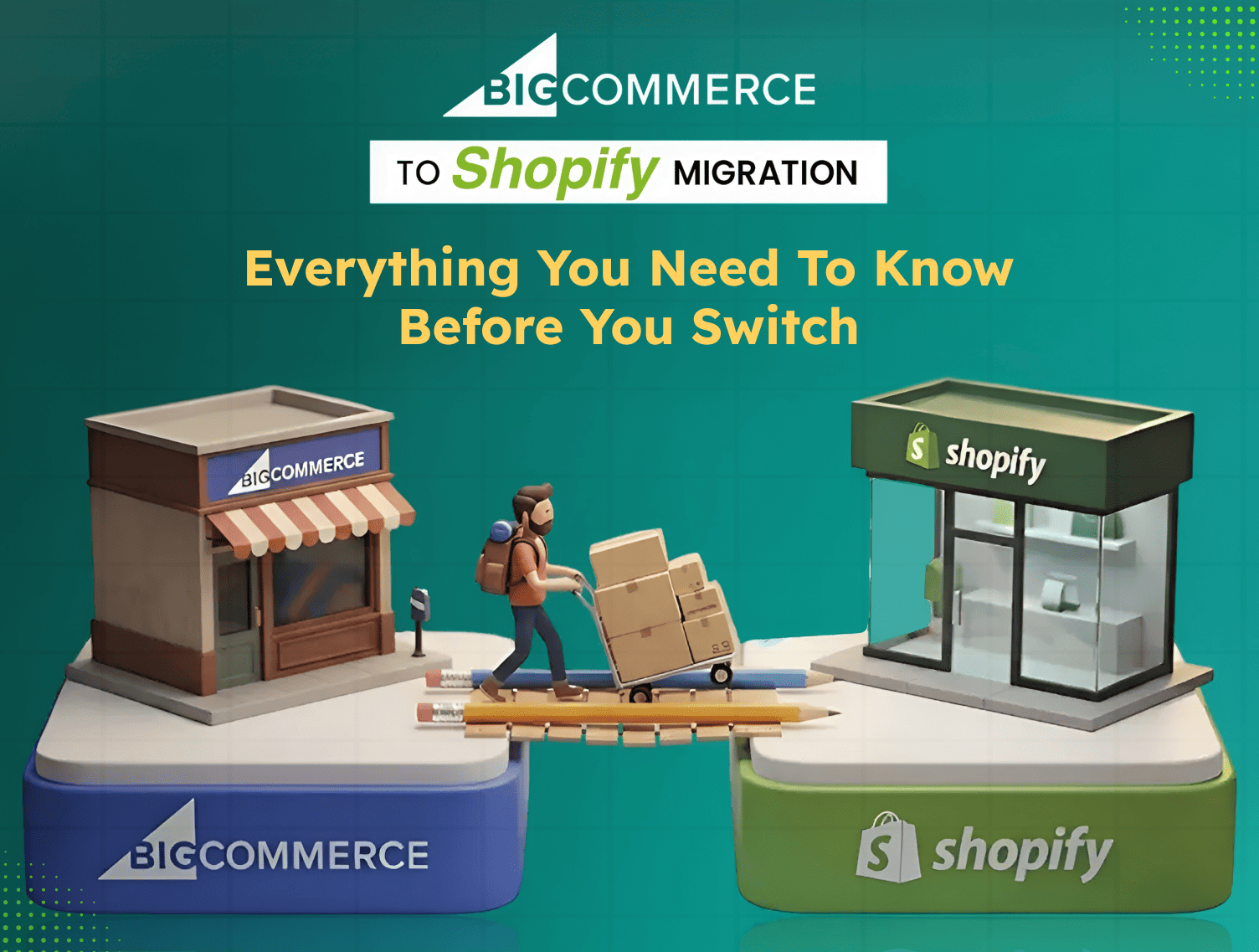
There’s a moment, a phase that every BigCommerce merchant goes through, when the store is growing, the team is busy, but still, the feeling of you slowing down keeps getting stronger. Every customisation would require a developer, and every feature would require a workaround, and soon you’ll start asking questions like is it time to move?
For thousands of brands globally, the answer has been a clear yes, as they start searching for the “BigCommerce to Shopify Migration,” because somehow, even though they know the destination, which by the way is Shopify.
And no, we’re not saying that BigCommerce is a bad platform; it’s great for specific needs, but you know, Shopify is built differently. It has basically been made for the modern brands, which are actually seeking fast work, flexible, and that too focused on growth without unnecessary friction.
So, if you’re considering a “BigCommerce to Shopify migration”, this guide is gonna help you walk you through every crucial question, such as;
- Why brands are making the switch?
- What does your data migration look like?
- What are the exact steps to follow?
- What would be the mistakes to avoid? and
- When is it worth bringing in a Shopify Plus Agency to get it right?
So, sit tight till you find answers to your queries down below,
BigCommerce vs Shopify- Why Brands Are Making The Switch?
Both platforms have great potential when it comes to running a successful ecommerce store. But there are indeed some differences that show up when you’re trying to scale quickly. So, let’s have a look at those key differences;
| BigCommerce | Shopify | |
| Ease of use | Moderate learning curve | Beginner-friendly, intuitive admin |
| App ecosystem | ~1,300 integrations | 8,000+ apps |
| Checkout flexibility | Limited customisation | Full checkout extensibility on Plus |
| Pricing model | Revenue-triggered plan upgrades | Fixed monthly plans |
| Themes & design | Fewer options, complex to customise | Hundreds of themes, mobile-first |
| Global selling | Moderate | Advanced — 50+ markets via Shopify Plus |
| R&D investment (2024) | $80 million | $1.4 billion |
That last row matters more than it might seem, because you know, Shopify invested $1.4 billion into commerce innovation in 2024 alone, 100% focused on ecommerce. Whereas BigCommerce has invested $80 million, so with this gap only, you can easily understand feature velocity, app quality, and platform reliability between the two.
And beyond those numbers, here’s what brand founders consistently are saying after making the switch:
Costs actually went down. BigCommerce’s pricing looks straightforward until your revenue hits a threshold and triggers a forced plan upgrade. On the other hand, you’ll see that Shopify’s monthly plans are fixed, and with Shopify Payments, you can eliminate transaction fees.
The team actually enjoys using it. Shopify’s admin is genuinely intuitive. There, you will have to spend less time figuring out things like “how to do basic tasks” and more time growing the business.
The app ecosystem is in a different league. Need a specific feature? There are likely ten Shopify apps that do it. On BigCommerce, you’re often writing custom code or making do.
Signs Your Brand Has Outgrown BigCommerce
Not every brand needs to migrate. But if you’re finding yourself in one of these situations, then your platform may be holding you back more than you can think of:
Your team spends more time managing the platform than running the business. If your operations team is regularly fighting with the backend, dealing with workarounds, waiting on developers for basic changes, or manually fixing what should be automatic, that’s operational drag accumulating every single day.
Revenue-triggered plan upgrades are squeezing your margins. BigCommerce’s pricing model scales with your revenue, not your feature needs. The more you grow, the more you pay, even if you don’t need the higher tier’s features. That’s a margin problem, not just a platform preference.
Every customisation needs a developer. Shopify is built so non-technical teams can manage products, launch campaigns, and update content independently. If your BigCommerce store requires developer involvement for tasks that should take minutes, that’s a recurring cost hiding in plain sight.
Your app requirements are creating a patchwork of workarounds. When your store’s core functionality relies on five different apps that barely talk to each other, you’re building on an unstable foundation. Shopify’s native features and larger app ecosystem mean fewer gaps to patch.
Performance dips under pressure. If your store struggles during high-traffic events, slow load times, checkout errors, or outright downtime, that’s lost revenue with a timestamp on it.
What Can Be Migrated From Bigcommerce To Shopify?
One of the biggest fears brand founders have before a BigCommerce to Shopify data migration is losing something important. The good news is that most of what matters moves cleanly. Here’s a clear breakdown:
What transfers fully:
- Products- titles, descriptions, images, variants, SKUs, pricing, and inventory levels Customer accounts- contact details, addresses, and account history
- Order history- for customer service, analytics, and reporting continuity Blog posts and content pages, with some formatting review recommended
- SEO metadata- page titles, meta descriptions, and alt text
What needs attention:
- Product categories become Shopify collections, and the mapping needs to be done deliberately to maintain your store’s navigation logic
- Custom fields and product options need to be mapped to Shopify’s variant structure
- Third-party app integrations don’t carry over; each one needs a Shopify equivalent identified and installed
What cannot be transferred:
- Customer passwords. This is a platform-level security limitation- Shopify cannot accept encrypted passwords from BigCommerce. You’ll need to send password reset emails to your customer base after launch. Plan your communication around this early.
How To Migrate From Bigcommerce To Shopify- Step By Step
This is where planning pays off. A BigCommerce to Shopify migration done right is methodical, not rushed. Here’s the process broken into six clear steps.
Step 1- Audit and back up your BigCommerce store
Before anything moves, document everything that exists. Products, variants, SKUs, customer data, order history, blog content, custom pages, app integrations, URL structures, and any custom code or configurations. This audit becomes your migration checklist and your safety net.
Export everything from BigCommerce as CSV files. Keep these backups secure and separate from your working files; they’re your rollback option if something goes wrong.
Step 2- Set up your Shopify store and choose the right plan
Create your Shopify account and keep it password-protected while you build. Decide which plan fits your current needs; most brands on BigCommerce land on Shopify Advanced or Shopify Plus, depending on their revenue and complexity. Set your primary currency now; Shopify locks it once transactions begin.
Configure your basic settings: taxes, shipping zones, payment gateways, and staff account permissions. Install the critical apps you’ll need before importing data, especially SEO tools, email marketing, and any integrations that affect how products are displayed or sold.
Step 3- Choose your migration method
There are three routes, and the right one depends on your store’s size and complexity:
Manual CSV import, Best for smaller stores with simple, clean catalogs. Time-consuming, but gives you the most direct control. Shopify’s import format differs from BigCommerce’s, so your CSV files will need to be reformatted carefully.
Migration tool (Cart2Cart, LitExtension, Matrixify), The most popular route for mid-sized stores. These tools automate the mapping between platforms, handle bulk transfers, and reduce the risk of human error. Always run a demo migration first to validate data quality before committing.
Agency-led migration, for stores with large catalogs, custom integrations, significant SEO equity, or complex architecture. A professional team handles data mapping, development, SEO preservation, and testing, and takes accountability for the outcome.
Step 4- Transfer your data and rebuild your storefront
Import your product catalog first; it’s the foundation everything else is built on. Check variants, images, inventory levels, and SKU mapping carefully. Then import customer accounts, followed by order history.
For your storefront, don’t just replicate your BigCommerce design in Shopify; use this as an opportunity to improve. Browse Shopify’s theme library, choose one that fits your brand and conversion goals, and customise it properly. Rebuild your navigation, collections, and merchandising logic intentionally.
Step 5- Set up 301 redirects and protect your SEO
This step is non-negotiable. Because BigCommerce and Shopify use different URL structures, your product, collection, and blog page URLs will change. Without 301 redirects, every old URL becomes a dead end for both customers and search engines. Your search rankings go with it.
Build a complete URL mapping spreadsheet before launch every old BigCommerce URL mapped to its corresponding new Shopify URL. Implement all redirects in Shopify before you go live. Transfer all metadata (page titles, meta descriptions, alt text) intact. Once live, submit your new XML sitemap to Google Search Console immediately.
Step 6- Test everything and launch with confidence
Set up a staging environment and test the full customer journey before going live: homepage to product page, add to cart, checkout, payment, and email confirmations. Test across devices. Test every payment gateway. Stress test for traffic spikes.
For complex stores, a soft rollout going live for a limited audience before full exposure gives you real-world validation time without full risk. Choose a low-traffic window to launch, communicate the transition to your customers, and monitor performance closely for the first two to four weeks post-launch.
Common Mistakes To Avoid During A BigCommerce To Shopify Migration
These are the avoidable errors that show up most often and cost the most to fix after the fact.
Skipping the pre-migration audit. Jumping straight to exporting data without documenting your current setup is how products go missing, custom configurations get forgotten, and integrations break silently on launch day.
Migrating during peak season. If your store’s busiest period is Q4, don’t migrate in October. Give yourself the runway to test properly and recover from any unexpected issues without it affecting peak revenue.
Forgetting 301 redirects. The single most common cause of post-migration SEO drops. Every URL that changes without a redirect takes its ranking history with it, and rebuilding that equity can take months.
Assuming BigCommerce apps have direct Shopify equivalents. Some do. Some don’t. Audit your app stack before migration and identify Shopify alternatives for each one. Build those into your pre-launch setup, not your post-launch scramble.
Rushing the testing phase. A migration that launches with broken checkout flows, missing products, or incorrect tax settings creates a customer experience problem on day one. Testing isn’t optional — it’s the difference between a confident launch and a damage-control situation.
Why work with a Shopify migration Agency?
A straightforward migration with a small catalog and minimal custom functionality can be managed internally. But for most growing brands, those with significant product catalogs, custom integrations, established SEO rankings, or B2B complexity, the cost of getting it wrong outweighs the cost of getting expert help.
A certified Shopify migration agency brings something beyond technical skill: accountability and experience across both platforms. They’ve seen the edge cases, the data mapping pitfalls, the redirect gaps that quietly tank organic traffic, and the checkout configurations that break under real-world conditions. They don’t just move your data, they migrate your business.
What a good agency handles that’s hard to DIY:
- Complete data mapping and integrity validation across products, customers, and orders
- SEO preservation, from redirect planning to metadata transfer to post-launch monitoring
- Custom development to replicate functionality that doesn’t have a native Shopify equivalent
- Staging environment testing before anything goes live
- Post-launch support when unexpected issues surface
At Dynamic Dreamz, we’ve delivered 45,000+ successful projects across numerous countries over 18+ years. When brands come to us for a BigCommerce to Shopify migration, they get a specific team that handles every phase, from the first audit to the final post-launch check, so nothing falls through the cracks and you can focus on what you do best: running your business.
Ready to make the move? Then it’s time to reach out to team Dynamic Dreamz to talk about your migration.
Conclusion
A BigCommerce to Shopify migration can never be a simple copy-and-paste job; rather, it’s a business decision, one that affects your team’s workflow, your customers’ experience, your SEO equity & your long-term growth trajectory. And when done right, it will help you remove friction, open up a more powerful ecosystem & put your brand on a foundation built for scale.
But when it’s done wrong, it costs you rankings, customers, and months of recovery time.
Follow the steps. Don’t skip the SEO work, and if your store has the complexity that demands expert hands, seek expert help for this migration.
FAQ
How long does a BigCommerce to Shopify migration take?
Basically, it depends on your store’s complexity. A straightforward migration with a clean catalog typically takes 2-4 weeks. Larger stores with extensive custom features, app integrations, or large product catalogs can take 4-12 weeks. Always plan your migration window around a low-traffic period and avoid peak seasons.
Will I lose my SEO rankings when I migrate from BigCommerce to Shopify?
Not if the migration is handled correctly. The key steps are building a complete 301 redirect plan before launch, transferring all metadata intact, and submitting your new sitemap to Google Search Console immediately after going live.
Migrations with a properly executed redirect strategy typically see organic traffic stabilise and recover within 60–90 days.
Can I migrate customer passwords from BigCommerce to Shopify?
No. For security reasons, customer passwords cannot be transferred between platforms. After your Shopify store launches, you’ll need to send your customer base a password reset email inviting them to activate their accounts. Plan this communication so customers aren’t caught off guard.
What is the best tool to migrate from BigCommerce to Shopify?
For most mid-sized stores, migration tools like LitExtension, Cart2Cart, or Matrixify are reliable and reduce manual errors. For large or complex stores, an agency-led migration using API-based data transfer gives you the most control and the least risk. Always run a demo migration first, regardless of which tool you use.
Do I need a Shopify migration agency for this?
For small stores with simple catalogs and minimal custom functionality, a DIY migration is feasible. For brands with significant SEO equity, complex data, custom integrations, or large product catalogs, working with a certified Shopify migration agency reduces risk significantly and almost always saves time and money in the long run.
Is Shopify better than BigCommerce for growing brands?
For most modern DTC and B2B brands, yes. Shopify offers a more flexible app ecosystem (8,000+ apps vs. ~1,300), fixed pricing that doesn’t scale with your revenue, superior checkout customisation, and a platform backed by $1.4 billion in annual R&D investment. Brands on Shopify Plus in the $1M–$500M revenue range grow at an average of 126% year-over-year, 690% above the industry standard.

RIZWAN SHAIKH
Content Team LeadI lead the content team at Dynamic Dreamz, shaping clear, purposeful narratives across blogs, landing pages, and brand communication. With a strong grasp of SEO, storytelling, and buyer intent, I focus on creating content that’s not just readable but also useful, relevant, and built to drive real business outcomes.
Related Blogs
Explore practical Shopify, eCommerce, and conversion insights to help you make better decisions for your online store.