
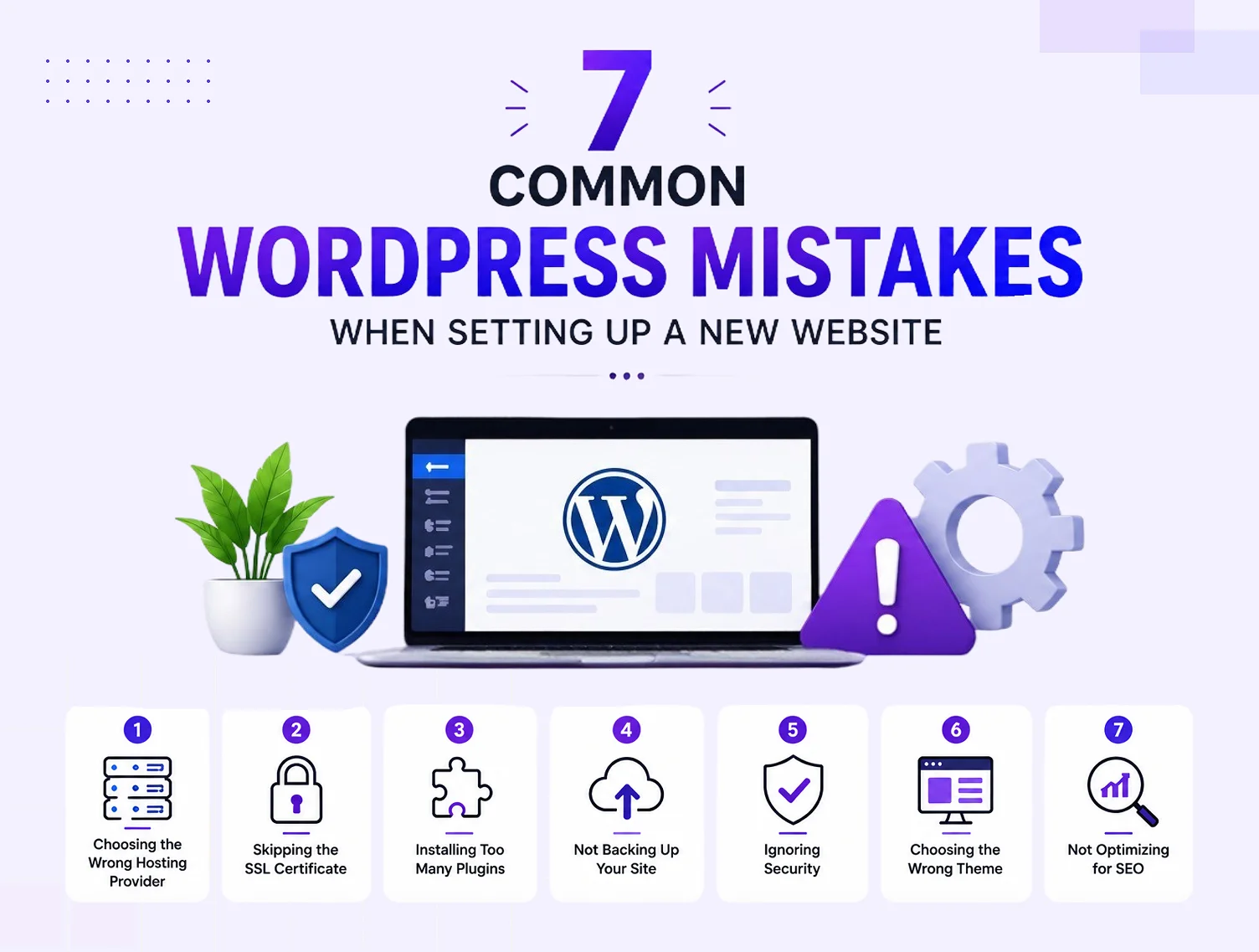
Whenever you set up a new website on WordPress, it should be quite a simple process, not until you realize that you have made some wrong calls that cost you rankings, speed, or security. And that is true, because most of the common WordPress mistakes happen right at the beginning.
Because you know, while you’re in the setup phase, even way before you have written a single blog post or listed a product, you could have made a mistake that can cost you a fortune.
So, no matter whether you’re a simple business owner who’s about to launch your first site or a startup that wants to go online quickly, read this guide. Through this guide, you will be able to tackle and avoid the 7 most critical WordPress mistakes, with which you can build your site on a solid foundation from day one.
So, without wasting a single minute, let’s jump into the first common WordPress mistake, which is to choose the wrong hosting provider.
1. Choosing the Wrong Hosting Provider
One of the biggest WordPress hosting mistakes beginners tend to make is to simply find and pick the cheapest available hosting plan, and that too without keeping performance, uptime, or scalability in mind. Because you know your hosting provider is literally the backbone of your website, so when you choose a poor option, it can and will affect page speed, security & even your Google rankings.
What goes wrong: Shared hosting plans with unlimited “resources” often throttle your site during traffic spikes. Slow load times directly hurt your SEO and user experience.
What to do instead:
- Choose a managed WordPress hosting provider with solid uptime guarantees (99.9%+)
- Look for hosting that includes daily backups, SSL certificates, and staging environments
- If you are running a WooCommerce store, opt for plans built for eCommerce performance
If you are unsure which setup suits your business goals, partnering with a professional WordPress web development team can save you months of trial and error.
2. Skipping the SSL Certificate
This is one of the most common WordPress website setup mistakes that still happens more than it should. An SSL certificate (that little padlock in the browser URL bar) is not optional anymore; it is a Google ranking signal and a trust indicator for your visitors.
What goes wrong: Websites without SSL are flagged as “Not Secure” by browsers. Visitors bounce. Google penalizes you. For any site collecting form data, payments, or personal information, this is a serious risk.
What to do instead:
- Activate your free SSL certificate from your hosting provider (most include Let’s Encrypt)
- Force HTTPS sitewide using your WordPress settings or a plugin like Really Simple SSL
- Double-check that all internal links and images load over HTTPS, not HTTP
3. Installing Too Many Plugins
WordPress plugin mistakes are among the most common WordPress beginner mistakes you will encounter. The plugin library is massive, and it is tempting to install one for every little feature you want. But more plugins mean more code, more potential conflicts, and more attack surfaces for hackers.
What goes wrong: Plugin bloat slows your site down significantly. Conflicting plugins break functionality. Outdated or abandoned plugins create serious security vulnerabilities.
What to do instead:
- Keep your plugin count lean, only install what you genuinely need
- Always check the plugin’s last update date, active installs, and user ratings before installing
- Use multi-purpose plugins where possible (e.g., one SEO plugin instead of three overlapping ones)
- Deactivate and delete plugins you are no longer using; deactivated plugins still pose a risk if not removed.
4. Not Backing Up Your WordPress Site
When you don’t back up your WordPress site regularly, you are simply making a gamble that you may regret very soon. Because a server crash, a failed plugin update, or a hacking attempt can simply wipe out months of your work in minutes.
What goes wrong: Without a backup, recovery would either be impossible, or it’s gonna cost you a fortune, because many hosting providers can’t even guarantee restoration of lost data unless you have a premium plan.
What to do instead:
- Set up automated daily backups using a plugin like UpdraftPlus or Jetpack
- Store backup copies in multiple locations, such as your server, Google Drive, or Dropbox
- Test your backups periodically to ensure the restore process actually works
- Before any major update (WordPress core, theme, or plugin), take a manual backup
5. Ignoring WordPress Security
WordPress security mistakes can be catastrophic, no matter the business is, especially if you’re collecting customer data or processing payments. WordPress powers over 40% of the web, which makes it a prime target for automated attacks.
What goes wrong: Default WordPress installations come with predictable usernames (admin), no login attempt limits, and no firewall. Attackers exploit these gaps through brute force attacks, malware injections, and SQL exploits.
What to do instead:
- Change the default admin username during setup, never use “admin.”
- Install a security plugin like Wordfence or Sucuri to add a firewall and monitor threats.
- Enable two-factor authentication (2FA) for all admin accounts
- Limit login attempts to block brute force attacks
- Change the default WordPress login URL (/wp-admin) to something custom
6. Choosing the Wrong Theme
Choosing the wrong theme can literally be a big mistake while you’re building a WordPress website, because it’s problematic. Because when you have a poorly coded or bloated theme, it may affect the speed of your site, responsiveness on mobile, and the very ability to customize the site & that too without breaking it.
What goes wrong: Many free themes are built with poor code quality, no updates, and zero support. They are often loaded with inline styles and unnecessary scripts that slow your site to a crawl. Some themes are also not mobile-optimized, which directly hurts your SEO since Google uses mobile-first indexing.
What to do instead:
- Choose a lightweight, well-supported theme from a reputable developer (Astra, GeneratePress, or Kadence are excellent choices)
- Test theme demos for speed using Google PageSpeed Insights before committing
- Avoid “multipurpose” themes packed with 100+ features you will never use
- Ensure the theme is regularly updated and has strong community support
7. Ignoring WordPress Updates
When you start ignoring WordPress updates, or your themes, or your plugins, you make one of the most dangerous SEO mistakes, because of which there can be some security risks. So, simply put, these updates are not just about new features, but they are about patching known vulnerabilities & improving performance.
What goes wrong: Running outdated versions of WordPress, themes, or plugins leaves your site exposed to known security exploits that hackers specifically target. Outdated code can also cause compatibility issues that break your site over time.
What to do instead:
- Enable automatic updates for minor WordPress core releases
- Check for theme and plugin updates at least once a week
- Before applying major updates, test on a staging environment first
- Keep a log of what was updated and when, so you can troubleshoot if something breaks
Final Thoughts
These 7 common WordPress mistakes that are mentioned above are simply not made out of sheer carelessness, but they happen because most people are in a hurry. Because people focus on launching a store, with the idea that the rest will be figured out later, and that is where the costs start to increase.
So, if you want a quick, highly secured, and SEO-ready WordPress website, then you have to ensure that its setup is proper; otherwise, problems will appear soon enough. And that is where the team Dynamic Dreamz comes in scene, because their WordPress experts are trained to assist businesses in launching their websites & WooCommerce stores the right way, and that too without any costly trial & error.
So, just give them a quick call, and ensure a WordPress site that performs exceptionally, and stays ready to grow.
FAQ
What are the most common WordPress mistakes beginners make?
We think the most common WordPress mistakes beginners these days are making are;
- Choosing the wrong hosting provider,
- Skipping SSL setup,
- Installing too many plugins,
- Ignoring backups, and
- Using poorly coded themes.
These mistakes when building a WordPress website can hurt your speed, security & SEO right from the start.
How do I avoid WordPress website setup mistakes?
To avoid these mistakes, you should select;
- Reliable hosting,
- Activate SSL,
- Keep your plugins minimal,
- Choose a lightweight theme, and
- Set up automated backups from day one.
Once you follow these basics, you can simply avoid the most costly WordPress website setup mistakes even before they become problems.
How do WordPress plugin mistakes affect my website?
Too many plugins can slow down your site, as they can also create compatibility conflicts & open security vulnerabilities. And for your kind information, these WordPress plugin mistakes are one of the leading causes of broken websites & poor performance scores.
Do WordPress security mistakes affect SEO?
Yes, if your site gets hacked or flagged as malicious by Google, it gets removed from search results entirely. WordPress security mistakes directly impact your rankings, traffic, and user trust.
How often should I update WordPress?
You should check for WordPress core, theme, and plugin updates at least once a week. Ignoring WordPress updates leaves your site exposed to known security vulnerabilities and can cause compatibility issues over time.